How do I know I'm transacting with the right business?
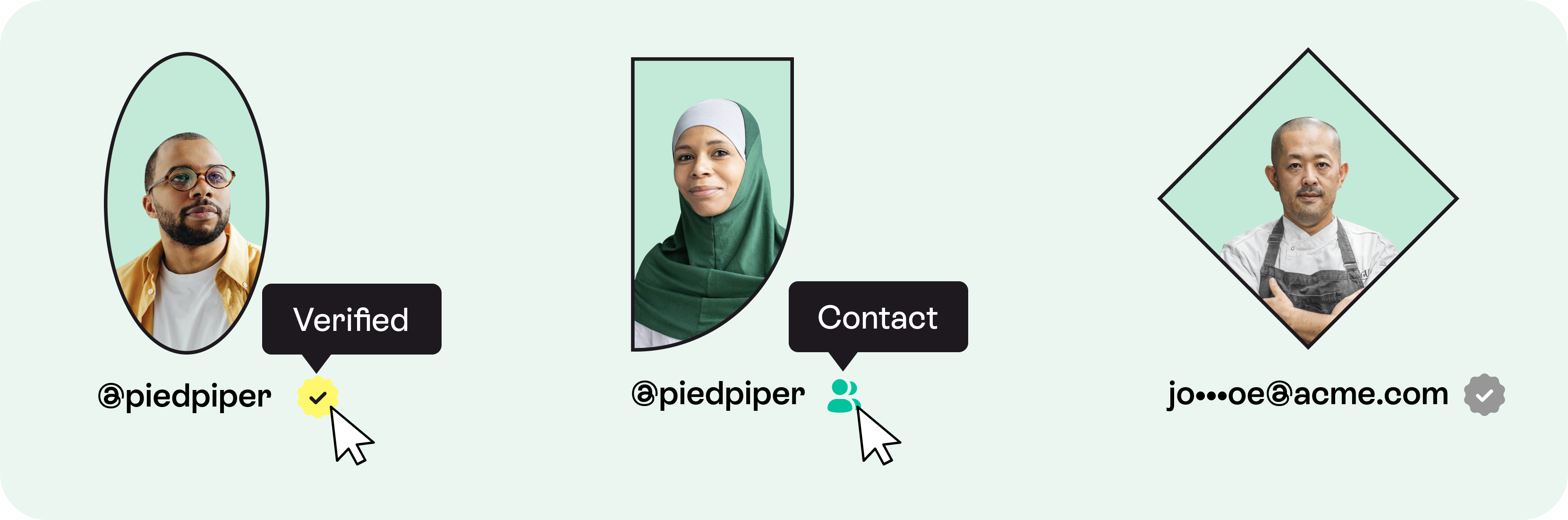
Businesses with a yellow verification icon ( ) on their business profile are active Hopscotch users that have been vetted by Hopscotch. Confirm you're dealing with the right business through the account username (@example), profile image, website, location, and industry. When in doubt, contact your client or vendor and confirm their Hopscotch username.
Businesses with a green contact icon ( )next to their name on the Search screen dropdown menu are ones that you have safely transacted with before. If you've integrated Hopscotch with your Quickbooks accounts, your Quickbooks contacts will have a green contact icon.
Businesses with a grey verification icon ( ) on their business profile are not active Hopscotch users. Confirm you're dealing with the right business by validating the email address listed on their profile - this is where your invoice or payment will be delivered.
Hopscotch is not responsible for payments sent to the wrong vendor. To combat this, all payments between active Hopscotch users are preceded by an invoice.
How do I find a business that I have invoiced through Hopscotch before?
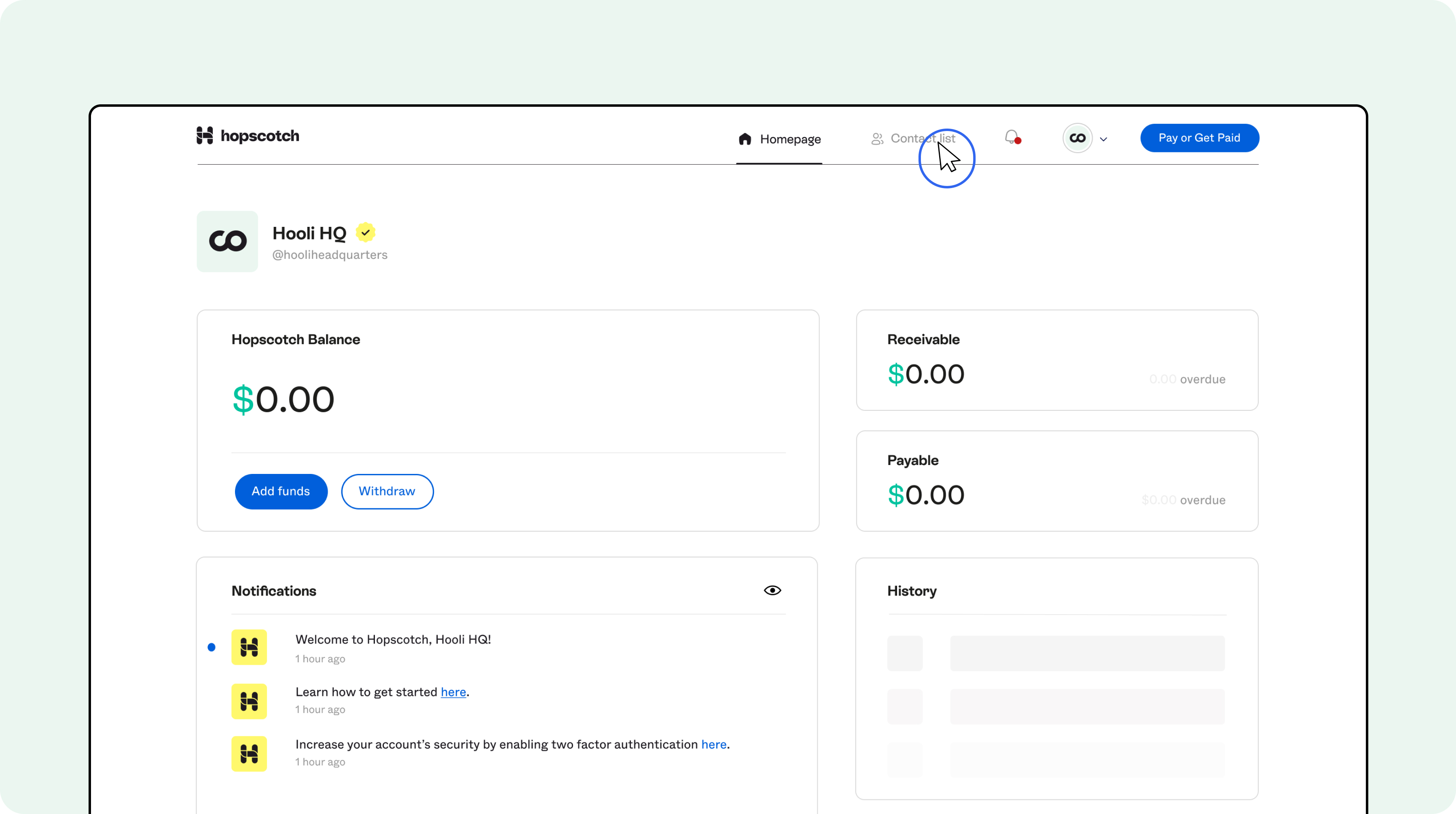
The easiest way to find a business that you have transacted with in the past is to visit your Contact List (located in the Global Menu). Once you find the business that you're looking for, simply click on their name to visit their profile; here, you can send them an invoice or pay a bill that they've sent you.
Need help? Hopscotch Support stands at the ready to assist.
What do I do if I can't find the business I'm looking for?
If you are unable to find the business you're looking for, please review this Article.
Need help? Hopscotch Support stands at the ready to assist.